

Google Keep is quick, free and syncs everywhere. If you want the same convenience with a provider based in Europe, or with notes you can encrypt or host yourself, there are several options, but none is a one-to-one copy of Keep. This guide compares the ones we could verify, explains how to move your notes, and covers the data-protection angle for teams in a short section further down.
Quick answer: For quick notes and checklists, Joplin is the closest verified option: it has to-do notes, apps for phone and desktop, and a community plugin for importing Keep notes. For a structured notes and knowledge base setup, Anytype (Switzerland, end-to-end encrypted) fits better. If you want to host it yourself, Nextcloud Notes or Joplin with your own sync target keeps the data on your server. None of them is a drop-in Keep clone, so test with a few notes first. Last checked: 14 October 2026.
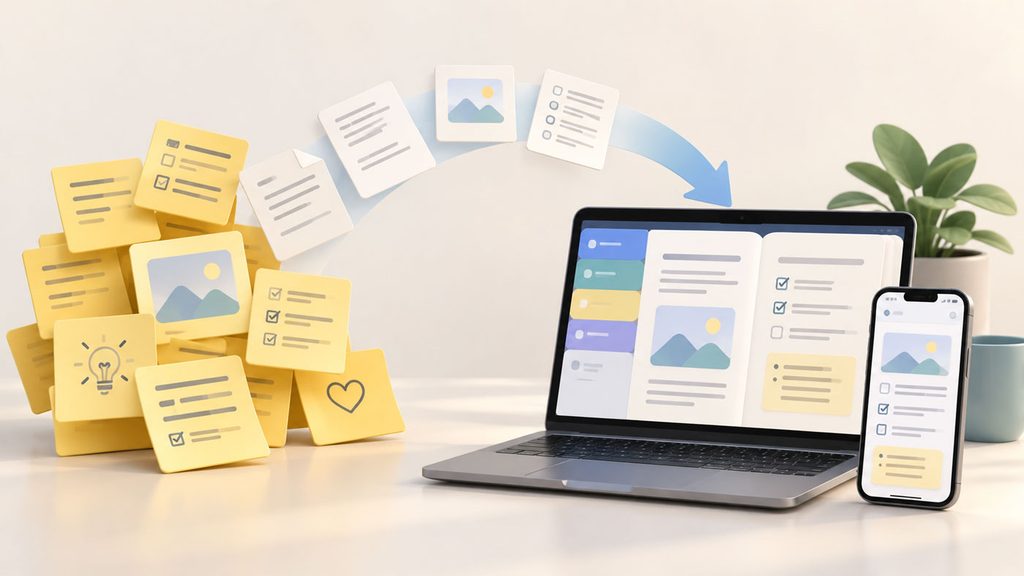
Notes that stay in sync between phone and PC are the baseline requirement for any Keep replacement.
What “European” means here
We use three groups so the labels stay precise:
- EU/EEA: the company is established in an EU or EEA member state (for example France or Estonia).
- Switzerland: outside the EU, but with its own strong data protection law and an EU adequacy decision.
- UK: outside the EU since Brexit; listed separately.
A company’s headquarters and the place where your data is stored are two different things. A US-incorporated company can run EU servers, and a European company can use non-European sub-processors. That is why the table shows both columns.
Comparison of European Google Keep alternatives
| Tool | HQ / country | Hosting location | E2EE | Open source | Phone + PC sync | Checklists | Free tier / price from | Import from Keep | Source, checked |
|---|---|---|---|---|---|---|---|---|---|
| Joplin | France (EU) | Depends on sync target (your own server, Nextcloud, other services); Joplin Cloud location: not stated | Yes, optional (not on by default for sync) | Yes, AGPL-3.0-or-later | Yes (desktop, Android, iOS) | Yes (to-do notes) | App free; Joplin Cloud has no free tier | Via third-party plugin | Joplin and plugin pages, EuropeanPurpose, Proton list; 14 Oct 2026 |
| Anytype | Zug, Switzerland | Local-first with sync network; server location: not stated | Yes | Source-available according to one source, “open source” according to another; check the license before relying on it | Yes | Not stated | Free, 100 MB remote storage | Not stated | EuropeanPurpose, Proton list; 14 Oct 2026 |
| Cryptee | Tallinn, Estonia (EU) | Not stated | Yes, client-side AES-256 | Source published; license: not stated | Browser-based; native apps: not stated | Not stated | Free, 100 MB | Not stated | EuropeanPurpose; 14 Oct 2026 |
| Nextcloud Notes | Not stated (self-hosted software) | Wherever you or your provider run the server | Not stated for Notes | Yes (Nextcloud apps are open source; check the Notes app license) | Yes (Android and iOS clients, web) | Markdown checkboxes; check in the app | Free software; hosting costs depend on provider | Not stated | Nextcloud Notes app page; 14 Oct 2026 |
Prices and features change. “Not stated” means we found no primary-source statement; it does not mean the feature is missing. Last checked: 14 October 2026.
Which type of tool fits you?
Quick notes and checklists. Keep’s strength is speed: open, type, tick off. Of the tools above, Joplin comes closest because it has to-do notes and mobile and desktop apps, though it feels more like a notebook than Keep’s colored cards.
Structured notes and a knowledge base. If your notes should be linked, tagged and searchable over months, Anytype is built for that. Expect a steeper learning curve than Keep.
Self-hosting. Nextcloud Notes (Markdown notes on your own Nextcloud) or Joplin with your own sync target keep the data on infrastructure you control. You are then responsible for updates and backups.
Browse more tools in the Notes category of the directory.
How to move your notes from Google Keep
- Export with Google Takeout. Select only Keep. The export contains one HTML file and one JSON file per note.
- Clean up first. Notes often hold passwords, Wi-Fi keys or API tokens. Move these into a password manager instead of importing them elsewhere; see European password managers for small businesses.
- Import into your target tool. Whether labels, reminders, colors and attachments survive depends on the importer, not on Takeout alone.
- Spot-check. Compare a sample of notes, especially checklists, before deleting anything in Keep.
Joplin. Joplin has no official Keep importer that we could verify. The community plugin “Import Google Keep Notes” reads the Takeout export and imports title and text, turns labels into tags and brings attachments. Whether checklists, colors, archived state and reminders are carried over is not confirmed. It is a third-party plugin, so test it on a copy first.
Anytype, Cryptee, Nextcloud Notes. We found no verified Keep import path. Plan to import HTML or Markdown manually or convert the JSON files with a script, and test with a few notes.
If you are moving more than notes, see Switching From US SaaS to European Software: A Migration and Exit Plan.
For businesses: the data protection angle in short
For private use, Keep is a fine tool and switching is a preference. For teams, three points matter:
- Workspace and contracts. Keep is available as a Google Workspace service that admins can switch on or off. Which retention or logging functions cover Keep depends on the edition and must be checked; Google’s Vault overview does not list Keep. Workspace customers can get a data processing addendum, consumer accounts are not covered by it.
- CLOUD Act. As a US company, Google can be subject to US disclosure orders regardless of server location. A DPA does not remove this. Equally, a European server location alone does not exclude foreign access if the provider is controlled from outside the EU.
- Encryption. Keep is not among the services listed for Google’s client-side encryption. If note content must be unreadable to the provider, choose a tool with end-to-end encryption.
None of this makes using Keep unlawful by itself; it is a risk assessment you should document.
Frequently asked questions
Is Google Keep deprecated?
No official shutdown announcement was found as of 14 October 2026. Google has retired the Keep app for Apple Watch and the Keep Chrome app, so individual clients do disappear. Check Google's product pages and the Keep help center before planning around it.
What is a good replacement for Google Keep?
It depends on the use. For quick notes and checklists, try Joplin. For a structured knowledge base, try Anytype. If you want to host it yourself, use Nextcloud Notes or Joplin with your own sync.
Are there free European alternatives?
Yes. Joplin's app is free, Anytype and Cryptee offer free plans with small remote storage (100 MB), and Nextcloud Notes is free software where you pay only for hosting.
Is end-to-end encryption available?
In Joplin (optional), Anytype and Cryptee, yes. Keep is not among the services listed for Google's client-side encryption.
Sources
- Google Workspace: Keep availability and Vault overview (support.google.com)
- Google Workspace: client-side encryption supported services (support.google.com)
- Joplin: joplinapp.org and plugin page “Import Google Keep Notes”
- Nextcloud: Notes app page
- EuropeanPurpose: note-taking category
- Proton: list of European note apps
Last checked: 14 October 2026. Prices and features change; confirm on each vendor’s site.